A new business rule, raised by the client during validation.
It became a requirement in the documentation, with a decision record, before anyone touched the prototype. The screens changed only after that, and the developers read the same rule.
Case study · Design process · AI
Smart Line Balance is a Getter platform that helps factories balance their production lines. I joined as one of two designers and, together with the other designer, structured a way of working in which AI builds the prototypes, the team validates them with the client, and developers receive a specification they can read on their own or through AI.
Outcomes in the first two months
In the factories Smart Line Balance serves, the process engineer balanced the line by hand in a spreadsheet, spending 30 to 45 minutes at the start of every shift moving people between workstations. The product had to replace that routine with calculation and AI suggestions, and the team needed to validate each flow with the client before any code was written.
Generative AI made prototypes fast to produce. Produced in isolation, however, they drifted: each one duplicated styles, departed from the Design System and carried its own copy of rules that were already out of date. With two designers and several features in parallel, speed was turning into inconsistency.
The core insightAI is only as good as the context it reads.
Instead of better prompts, we invested in context: one documentation for the whole platform, product requirements written to be read by people and by AI, and prototypes built on shared parts of the Design System.
The feature page defines the flow, testable requirements, states and exceptions, and open points.
Generative AI reads the documentation and the Design System and builds a clickable prototype.
The prototype is reviewed in context. Every decision is recorded in the documentation before the prototype changes.
When approved, the prototype moves to 'In development' and becomes the reference for the front-end team.
New decisions return to the documentation
We created a single documentation site for the whole platform. Developers maintain the technical documentation and architecture, the product team and designers maintain the requirements and the Design System, and there are guides so that non-developers can contribute. We considered a shared drive, but chose plain text files under version control: every change is reviewed, the history is kept, and the content is lighter for AI to read.
Anatomy of a testable requirement
Requirement: Accepted file formats
The system MUST accept .xls, .xlsx and .csv files in the template defined by the client.
Acceptance criterion: File in an accepted format
MUST, MUST NOT or MAY, with acceptance criteria in GIVEN / WHEN / THEN. Developers, QA and AI read the same sentence the same way.
Each feature walks through a checklist of states and exceptions: invalid input, empty data, unavailable integrations, conflicts, permissions and destructive actions.
Anything unconfirmed enters as 'Proposal' and an open point. It only becomes a requirement after someone responsible approves it.
An automatic check validates the structure of every page, the testable format and the glossary terms before any change is accepted.
Rules we wrote for the AI
The prototypes got a home of their own. Each one opens in any browser, but the tokens, components, navigation and header of the Design System live in shared parts that every prototype uses. An automatic check flags any prototype that drifts. When we changed the typography scale, every prototype was updated at once.
Tokens, components and navigation in one place, kept in sync and checked automatically.
Each prototype opens its own design specification, with flow, scenarios, errors and open points, written for people and for AI.
Hypotheses the prototype assumed appear in a panel, so the P.O. knows exactly what still needs a decision.
The same prototype switches between the Getter and the client brand, in light or dark mode.
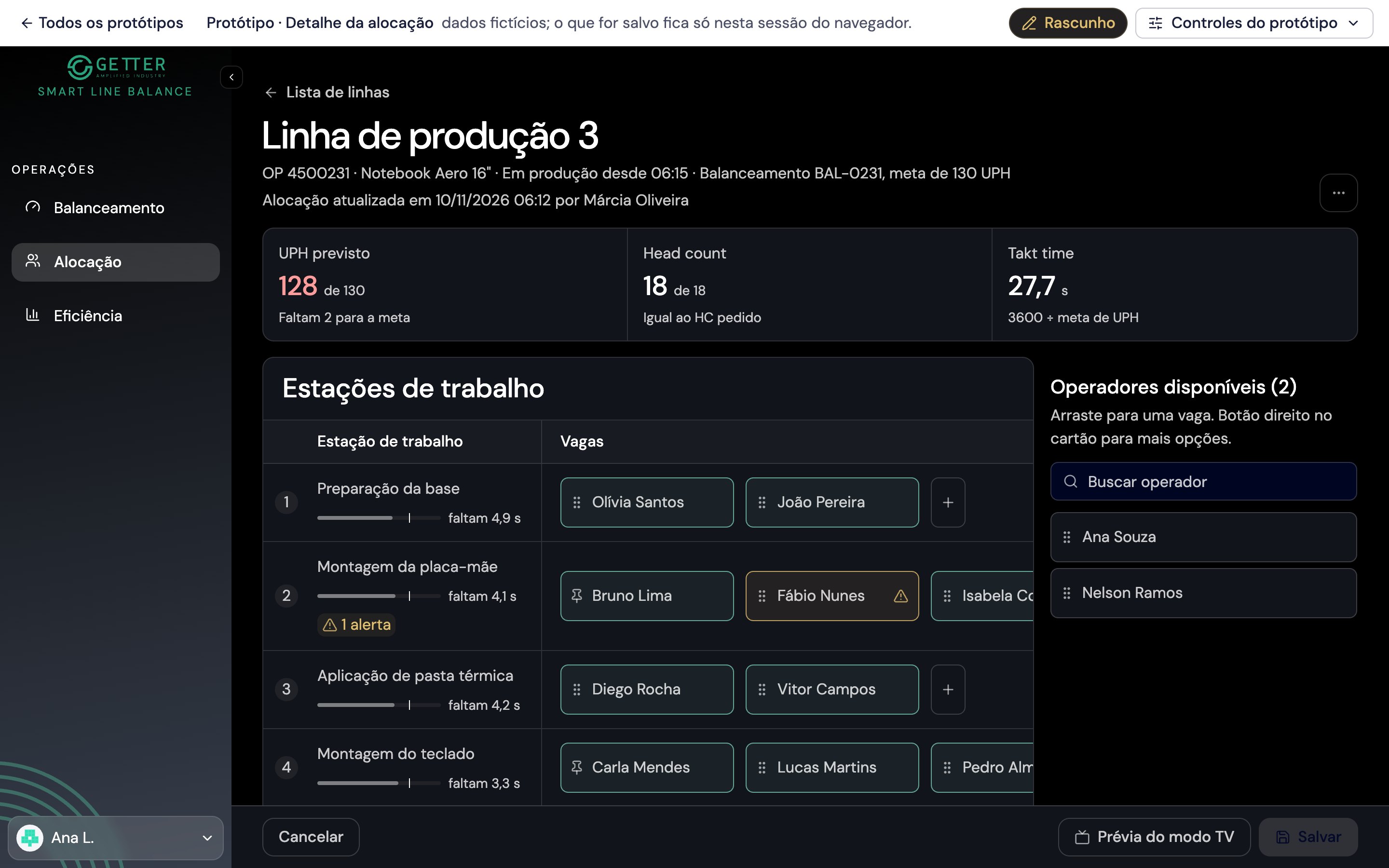
Every prototype shows its stage in a bar at the top, with a dated history and who to ask. Developers no longer need a handover meeting to know what is ready.
Still being made. Not shown to stakeholders.
Being validated with the P.O. and stakeholders. May change.
Approved by the P.O. The reference to implement.
The front-end team is building it. Changes only by agreement.
No longer a reference.
The other designer and I worked on separate proposals over the same base, one improvement at a time. We compared the alternatives side by side in a meeting, and only then did the decision enter the documentation and the main prototype. On one of the most complex screens, that meant about 40 proposals reviewed one by one.
Because every prototype reads from the same source, validation feedback changes the documentation, and the prototypes follow. Two moments from the validation rounds show the cycle.
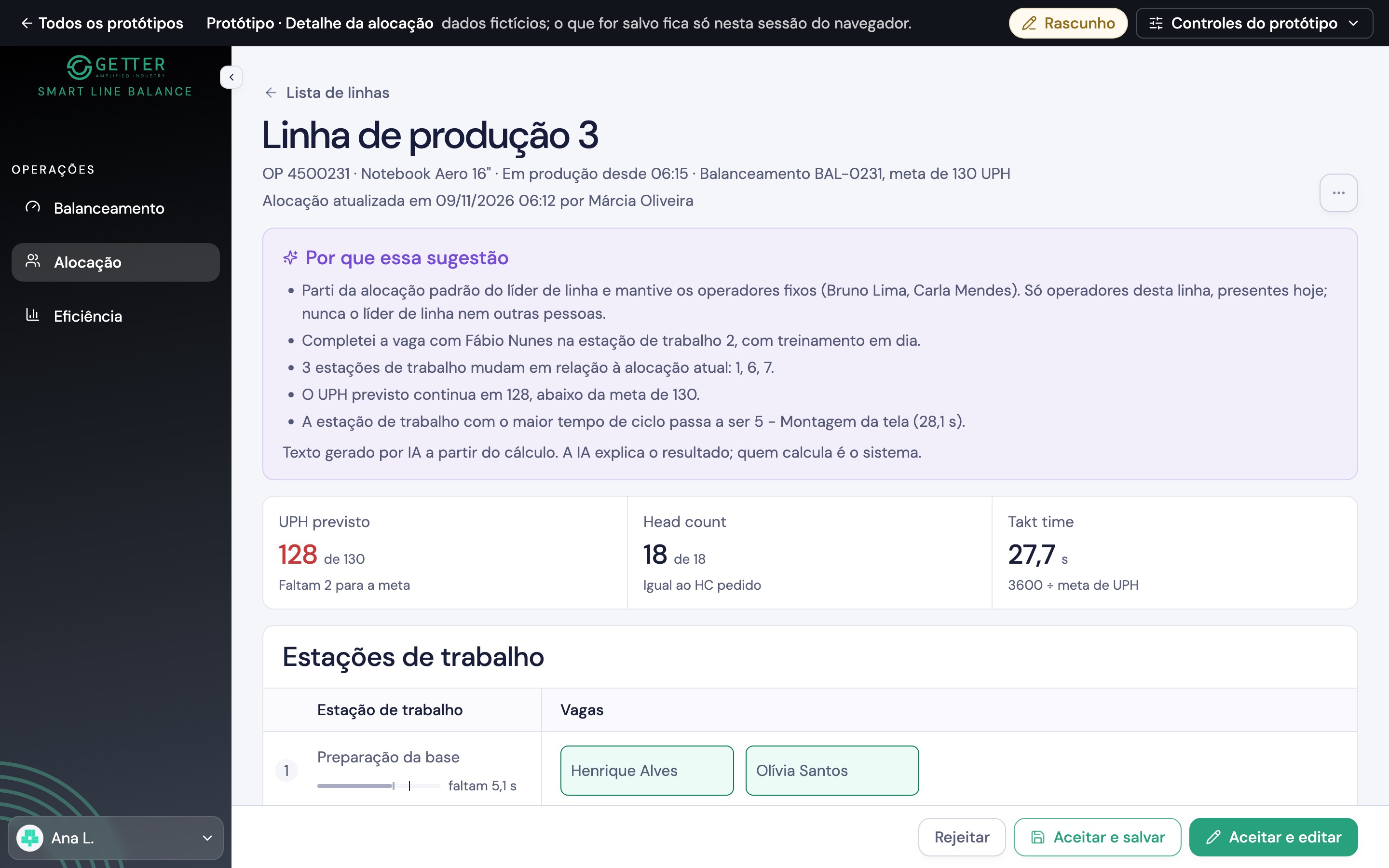
A new business rule, raised by the client during validation.
It became a requirement in the documentation, with a decision record, before anyone touched the prototype. The screens changed only after that, and the developers read the same rule.
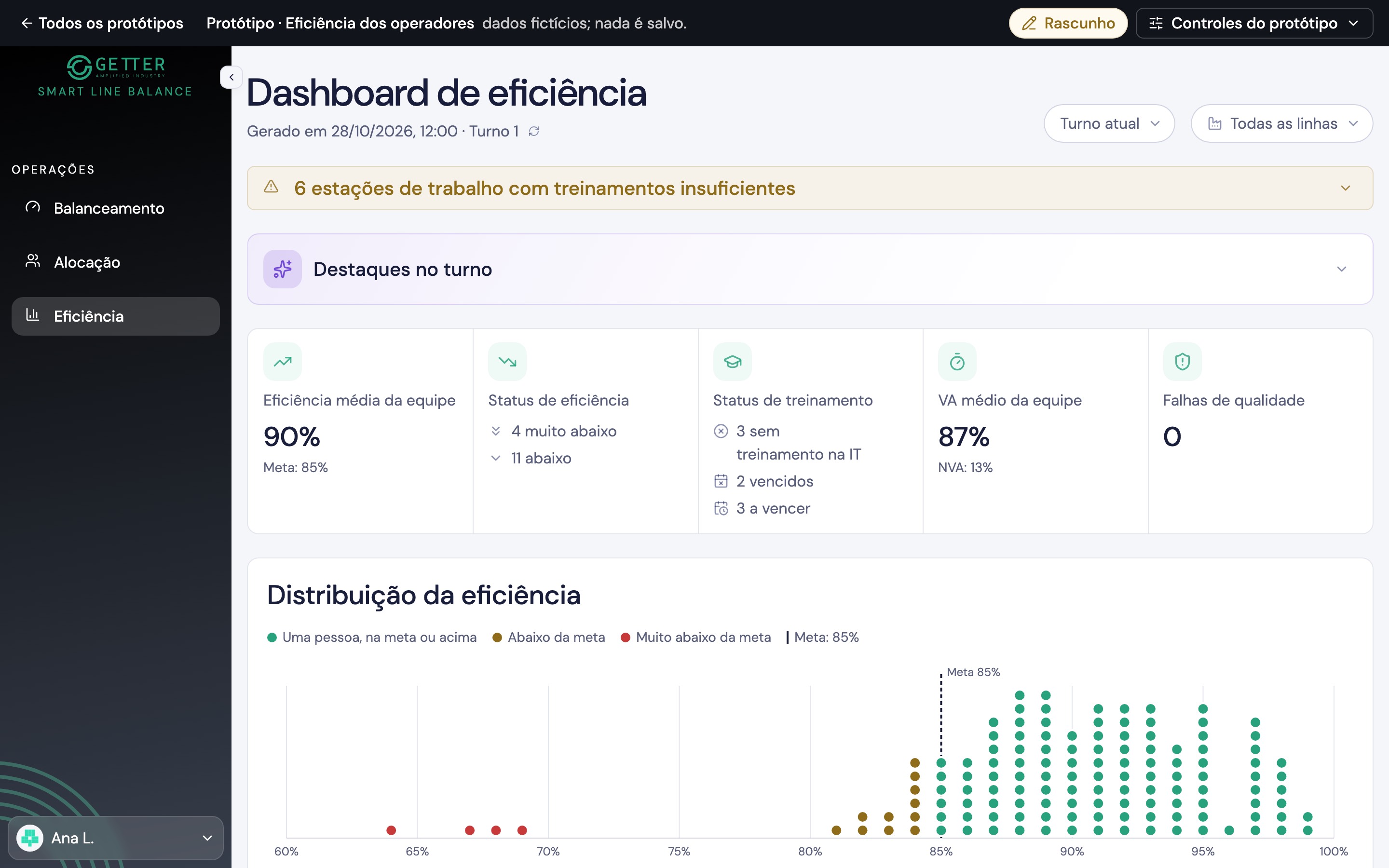
A round of changes requested in a review meeting.
The decisions went into the documentation and the AI rebuilt the prototype from it. The next day there was a new version to review, already consistent with the Design System.
What did not work
Key takeaways
Generative AI produces consistent prototypes when it works on shared parts, written rules and a single source of requirements, not on isolated requests.
The time spent structuring requirements was not overhead: it is what allowed a prototype to be generated in hours and validated in days. The better the context, the less the AI needs to guess.
Every page is read by people and by AI. Testable requirements, a glossary that forbids synonyms and explicit open points serve both, and they also remove ambiguity between designers, product and engineering.
The AI proposes, records assumptions as assumptions and never turns a suggestion into a rule. Those limits only hold when they are written down.
Filling prototypes with data at the client's real scale revealed layout problems that a small sample would have hidden, before any code was written.